How to download the Misty Haven template for Powerpoint
1. On this same page, scroll down to the download block until you see the buttons. 2. Click on the button below the presentation features that says 'Download Misty Haven as a Free PowerPoint template'. 3. Once done it will start downloading a .pptx file that you can edit in PowerPoint. 4. If we do not have the powerpoint file we will direct you to the original source so you can download it. 5. If the fonts used in the template are not on your computer, you should download and install them for the template to display correctly. You can find the fonts in the original font link. 6.Source:presentationgo.com
How to download the template Misty Haven in Google Slides
1. Just like the powerpoint version, scroll to the bottom of the template features. 2. You can now click on the button that says 'Use Misty Haven as a Google Slides theme'. 3. A new window will open with a larger preview. If you want to use the template, click the Use template button in the upper right corner. 4. A copy of the document will be added to your Google Drive account and you will be able to edit, add or delete slides.
Preview
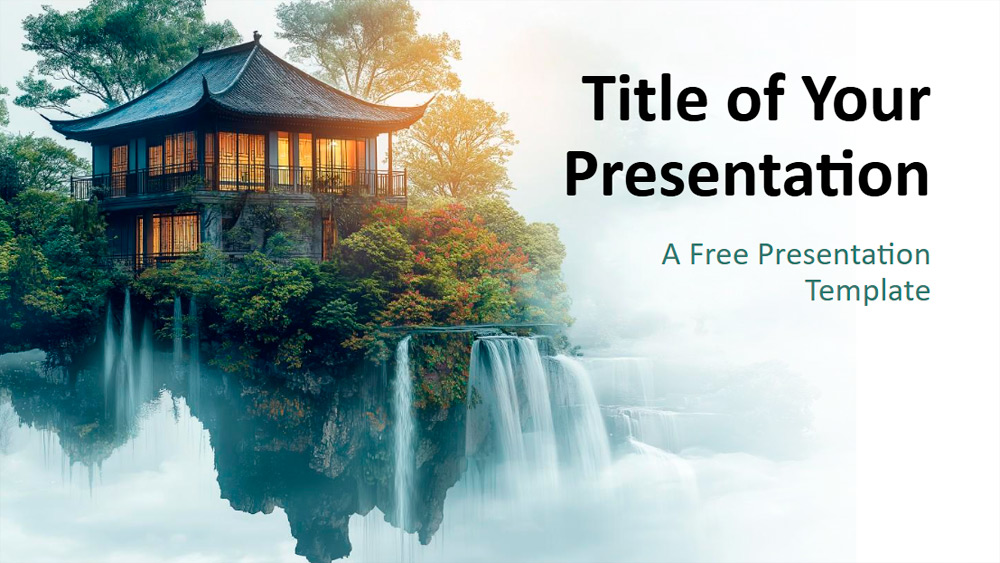
This template blends autumnal elegance with stunning natural landscapes, drawing inspiration from traditional Asian pagodas, waterfalls, lush vegetation, and intricate architecture. Soft mist, warm light, and an emerald and gold color scheme lend it a refined and evocative feel. Ideal for educators, business users, and event organizers, it's perfect for topics such as Asian culture, mindfulness, environmental initiatives, or creative portfolios, including those for architecture and photography. Text and images are easily customizable, allowing the slides to be tailored to various needs. The set includes six beautifully designed slides, plus an additional slide for color palettes and typography. Created using the Slide Template, it also offers text boxes, a placeholder for a thank-you image, and a 16:9 widescreen layout compatible with PowerPoint and Google Slides.
Download the PowerPoint template or Google Slides theme Misty Haven free of charge. With this template you can create presentations formal, elegant. This theme includes the color green, white.
Features
- 6 slides, plus a color palette slide.
- Easy to edit with the master template.
- Includes placeholders for text and images.
- Widescreen format.
- For PowerPoint and Google Slides.