How to download the Architecture Studio template for Powerpoint
1. On this same page, scroll down to the download block until you see the buttons. 2. Click on the button below the presentation features that says 'Download Architecture Studio as a Free PowerPoint template'. 3. Once done it will start downloading a .pptx file that you can edit in PowerPoint. 4. If we do not have the powerpoint file we will direct you to the original source so you can download it. 5. If the fonts used in the template are not on your computer, you should download and install them for the template to display correctly. You can find the fonts in the original font link. 6.Source:slidesgo.com
How to download the template Architecture Studio in Google Slides
1. Just like the powerpoint version, scroll to the bottom of the template features. 2. You can now click on the button that says 'Use Architecture Studio as a Google Slides theme'. 3. A new window will open with a larger preview. If you want to use the template, click the Use template button in the upper right corner. 4. A copy of the document will be added to your Google Drive account and you will be able to edit, add or delete slides.
Preview
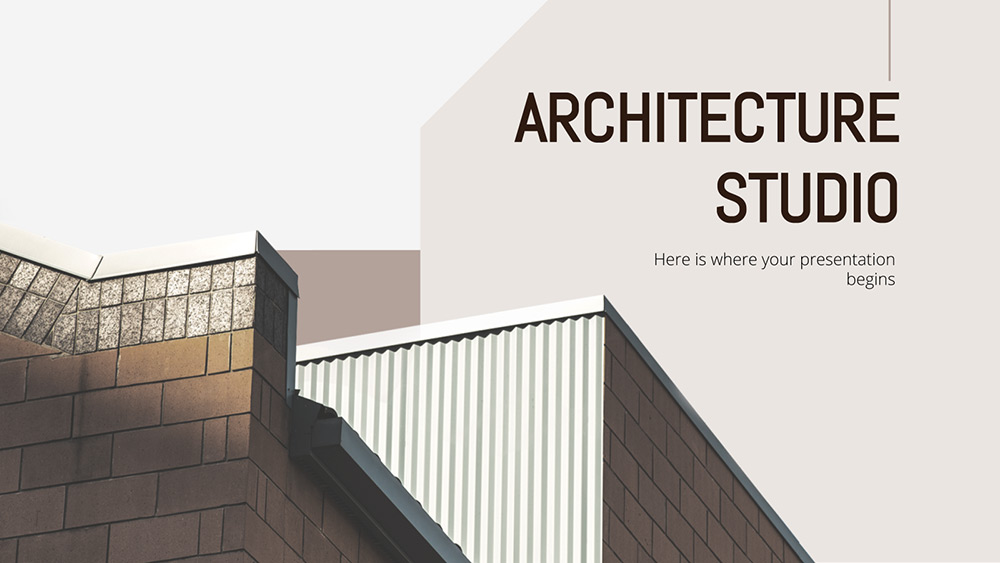
Designing new offices, skyscrapers, stadiums, bridges and any other type of building is what architecture studios do. Help spread the word by giving a professional presentation thanks to this new free, fully customizable, formal and well-designed company profile template.
This new cover contains a good selection of slides with everything you need to impress your clients, so you don't even have to start from the drawing board. Since the theme is architecture, photos of the buildings, schematics and architects were practically a given, so make good use of them to illustrate your points. We have said that this template will give your presentation a professional look, and that is because the palette, composed of light grey and brown, contributes to it. You will notice that there is a slight geometrical composition within the slides, which reinforces the concept of firmness and stability. Our infographics, timelines and graphics have been conceived with a focus on ease of use, which means that you will be able to display your content very effectively. To improve the impact of your text, the sans angular typography for titles and headings is great, while the typography for the body of the text is optimal even for printing. Have you thought about what presentation you want to achieve? Then download the template and start editing it using all the included resources!
Download the PowerPoint template or Google Slides theme Architecture Studio free of charge. With this template you can create presentations business. This theme includes the color brown.
Features
- A professional cover with photos, perfect for presenting the company profile of architectural firms
- 100% editable and easy to modify
- 21 different slides to impress your audience
- Contains easy-to-edit charts and maps
- Includes over 1000 icons and the Flaticon extension to customize your slides
- Designed to be used in Google Slides and Microsoft PowerPoint
- 16:9 widescreen format suitable for all types of screens
- Includes information on fonts, colors and credits of the free resources used