How to download the Festival template for Powerpoint
1. On this same page, scroll down to the download block until you see the buttons. 2. Click on the button below the presentation features that says 'Download Festival as a Free PowerPoint template'. 3. Once done it will start downloading a .pptx file that you can edit in PowerPoint. 4. If we do not have the powerpoint file we will direct you to the original source so you can download it. 5. If the fonts used in the template are not on your computer, you should download and install them for the template to display correctly. You can find the fonts in the original font link. 6.Source:googleslidesthemes.com
How to download the template Festival in Google Slides
1. Just like the powerpoint version, scroll to the bottom of the template features. 2. You can now click on the button that says 'Use Festival as a Google Slides theme'. 3. A new window will open with a larger preview. If you want to use the template, click the Use template button in the upper right corner. 4. A copy of the document will be added to your Google Drive account and you will be able to edit, add or delete slides.
Preview
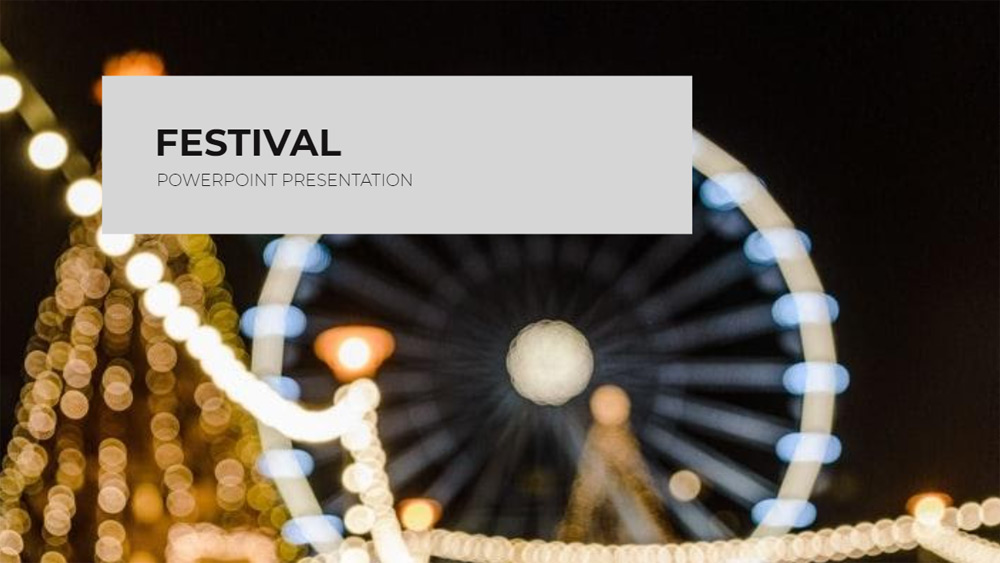
Searching for good quality festival slides on the Internet can be quite a tedious task: no one wants to browse for hours through endless lists of presentations and mindlessly scroll through carnival templates until they find the one that's finally right for them. While simple slides are convenient, they can never send as meaningful a message as slides with more effort. Fortunately for you, this carnival based Google Slides theme will do wonders in showing the amount of effort you put into your work. With vibrant blue, yellow and red colored slides, it will grab the viewer's attention and keep them hooked until the end of your carnival presentation. The template comes with various layout styles and spaces to write attention-grabbing titles. Do you have to organize a festive type event but don't know how to articulate your idea in images? Look no further. This Google Slides theme for festivals promises to get the job done right. Say goodbye to spending long hours at your computer designing each slide individually and download this free design.
Download the PowerPoint template or Google Slides theme Festival free of charge. With this template you can create presentations creative, playful. This theme includes the color white, multicolor.
Features
- 100% editable and easy to modify
- 25 different slides
- Designed to be used with Google Slides and Microsoft PowerPoint
- 16:9 widescreen format suitable for all types of screens
- Contains editable charts and maps